
How to check your JAMB CAPS admission status is not hard. Every Nigerian student must check their scores and performances after writing JAMB. Many candidates become confused, worried, or scared because they do not understand how the JAMB Central Admission Processing System works. JAMB CAPS is the official platform used by JAMB to manage and approve all admissions into universities, polytechnics, and colleges of education in Nigeria. If you do not check your admission status the right way, you may miss important updates or even lose your admission.
This guide explains how to check your JAMB CAPS admission status in a very simple way that anyone can understand, even a child. You will learn what JAMB CAPS means, why it matters, and the correct steps to follow. Everything here is written clearly to help you avoid mistakes. If you follow this guide carefully, you will feel confident and fully informed about your admission process.
What Is JAMB CAPS and Why It Is Important
JAMB CAPS means Joint Admissions and Matriculation Board Central Admission Processing System. It is an online system created by JAMB to control how admissions are given to students in Nigeria. Before CAPS was introduced, schools could admit students without proper checks. Now, everything is done openly and fairly.
JAMB CAPS allows students to see their admission progress in real time. It shows whether your school has recommended you for admission and whether JAMB has approved it. This system helps prevent cheating, mistakes, and double admissions.
Another important reason CAPS matters is acceptance. Even if a school gives you admission, it is not complete until you accept it on JAMB CAPS. If you do not accept your admission, JAMB will assume you are not interested. That is why learning how to check your JAMB CAPS admission status is very important for every candidate.
Things You Need Before Checking JAMB CAPS Admission Status
Before you begin, make sure you have the right tools. This will help you avoid stress or errors during the process.
First, you need a phone, tablet, or computer that can connect to the internet. Second, you must have a good internet connection. Third, you need your JAMB registration number or the email address you used during registration. Lastly, you need your JAMB profile password.
Always make sure you are using your own details. Never share your login information with strangers or cyber café workers. Keeping your details safe helps protect your admission.
How to Check Your JAMB CAPS Admission Status Step by Step
This section explains how to check your JAMB CAPS admission status in the easiest way possible. Follow each step slowly and carefully.
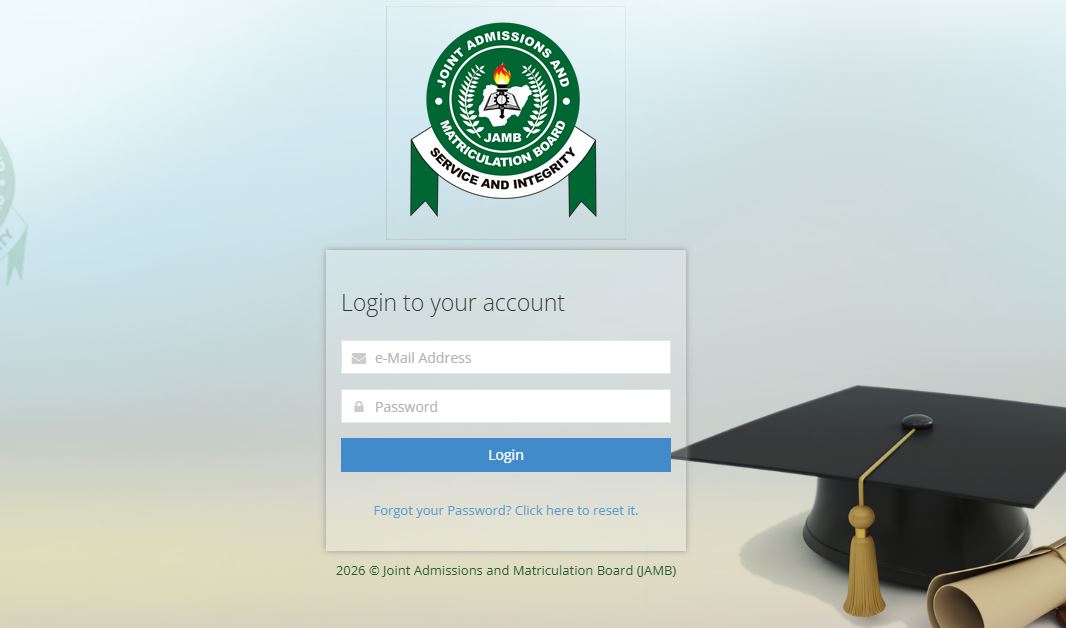
First, open your browser and go to the official JAMB website. On the homepage, find and click on the option that says JAMB e-Facility. This will take you to the login page.
Next, enter your email address and password correctly. After logging in, look for a menu and click on Check Admission Status. You will see different options on the page.
Click on Access my CAPS. When the CAPS page opens, choose Admission Status. Your admission details will appear on the screen. If you have been offered admission, it will show clearly. If not, you may see a message telling you to check back later.
How to Accept or Reject Admission on JAMB CAPS
After learning how to check your JAMB CAPS admission status, the next step is accepting or rejecting the admission.
If your status shows that you have been offered admission, look for the Accept Admission button. Click it and confirm your choice. Once you accept, JAMB records your admission officially.
If you are not satisfied with the school or course offered, you can click Reject Admission. Be very careful before rejecting because you may not get another offer easily.
Accepting your admission early is very important. Delay can cause problems, especially when printing your admission letter or doing clearance at school.
What It Means If Your Admission Status Is Still Pending
Many students panic when they see admission in progress or not yet admitted. This is normal. It means your school has not finished processing admissions or JAMB has not approved it yet.
Admission is done in batches. Some students are admitted early, while others wait longer. Keep checking regularly, but do not panic.
Make sure your O’Level results are uploaded correctly on the JAMB portal. Also, ensure you meet the cut-off mark and requirements of your chosen school and course.
Patience is important during this stage. Many students who waited eventually got admitted.
Common Problems Students Face on JAMB CAPS and Solutions
Some candidates face challenges while checking their JAMB CAPS admission status. One common issue is not seeing the CAPS option. This usually happens when using a phone. Switching to desktop mode on your browser can solve this.
Another problem is wrong login details. Always double-check your email and password. If you forget your password, use the password reset option.
Some students also see blank pages. This may be due to poor internet connection. Refresh the page or try again later.
Knowing these solutions will save you time and reduce stress.
Difference Between JAMB CAPS and School Admission Lists
Many students think seeing their name on a school website means final admission. This is not always true. Schools recommend candidates, but JAMB approves them through CAPS.
Your admission is only valid when it shows on JAMB CAPS and you accept it. Always check CAPS even if your school announces admission.
This is why understanding how to check your JAMB CAPS admission status is more important than checking school lists alone.
Important Tips to Increase Your Chances of Admission
To improve your chances, always upload your O’Level results early. Choose schools and courses that match your JAMB score.
Attend post-UTME and follow school instructions carefully. Also, check CAPS regularly so you do not miss important updates.
Avoid relying on rumors or unofficial websites. Always use the official JAMB portal.
These simple steps can make a big difference in your admission journey.
Understanding All JAMB CAPS Features and What Each One Means
To fully understand how to check your JAMB CAPS admission status, you also need to understand the different features inside the JAMB CAPS portal and what each one means. Many students see these options but do not know what they are for. This section explains them clearly so you do not make mistakes.
Admission Status
This is the most important section on JAMB CAPS. It tells you whether you have been admitted or not. You may see messages like “Not Admitted,” “Admission in Progress,” or “Congratulations, you have been offered admission.”
If it says admission in progress, it means your school is still reviewing candidates. If it says congratulations, you must accept or reject the offer immediately. Always check this section first when you log in.
My O’Level
This section shows the WAEC, NECO, or NABTEB results you uploaded. If this area is empty or incorrect, your admission may be delayed or rejected.
Make sure:
-
Your subjects are complete
-
Your grades are correct
-
Your result status is marked as uploaded
Students who do not upload O’Level results on JAMB CAPS may not get admission, even if they scored high in JAMB.
Transfer Approval
Transfer approval is a very sensitive part of JAMB CAPS. It shows if your school wants to change your course or institution.
For example, if you applied for Medicine but your score is not enough, the school may suggest another course like Biology or Anatomy. You must approve this transfer for admission to continue.
If you do not accept the transfer, JAMB will not give you admission. Always check this section carefully and decide wisely.
Marketplace (Candidates Available for Admission)
This feature allows schools to see candidates who meet their requirements but did not choose them originally. Some students get admission through this system.
To increase your chances:
-
Make sure your profile is complete
-
Upload your O’Level results
-
Meet the general cut-off mark
Many candidates do not know about this feature, but it plays a role in how JAMB CAPS admission status is determined.
Why Some Students Get Admitted Faster Than Others
Many students wonder why others get admitted quickly while they are still waiting. This usually happens because of certain factors.
Students who upload their O’Level results early are processed faster. Those who meet both JAMB and departmental cut-off marks also have higher chances.
Another factor is course choice. Competitive courses take longer because many candidates apply for them. Less competitive courses may be processed faster.
Also, schools release admissions in batches. Being patient and prepared is very important.
Mistakes That Can Delay or Stop Your JAMB CAPS Admission
Some common mistakes can affect how your JAMB CAPS admission status appears.
These include:
-
Not uploading O’Level results
-
Uploading incomplete or wrong results
-
Ignoring transfer approval
-
Not checking CAPS regularly
-
Using incorrect login details
Avoiding these mistakes can improve your chances and reduce stress.
Best Practices to Monitor Your JAMB CAPS Admission Smoothly
To stay safe and informed, always check your CAPS using the official JAMB portal. Avoid fake websites or social media links that promise admission.
Use a personal email and phone number you can access anytime. Save your password securely.
Set reminders to check your status weekly. This helps you act quickly if admission or transfer approval appears.
Staying informed gives you control and confidence throughout the admission process.
How JAMB CAPS Protects Students and Ensures Fair Admission
JAMB CAPS was created to protect students from unfair admission practices. It ensures that admissions are based on merit, choice, and available spaces.
Every candidate can see what is happening with their admission. This transparency helps reduce cheating and favoritism.
Understanding how to check your JAMB CAPS admission status helps you take full advantage of this system and avoid unnecessary fear.
Frequently Asked Questions About JAMB CAPS Admission Status
Many candidates ask how often they should check CAPS. Checking once or twice a week is okay. Others ask if accepting admission is compulsory. Yes, it is required to secure your place.
Some also ask if admission can change after acceptance. Once accepted, it is final unless JAMB allows changes.
These questions show why proper guidance matters.
Conclusion
Learning how to check your JAMB CAPS admission status is a must for every JAMB candidate in Nigeria. It helps you stay informed, avoid mistakes, and secure your admission properly. The process is simple when explained clearly, and this guide was written to make everything easy to understand.
Always remember to use the official JAMB website, keep your login details safe, and check your status regularly. Accept your admission on time and follow all instructions given by JAMB and your school.
With the right information and patience, your admission journey can be smooth and stress-free. Stay calm, stay informed, and believe in your success.