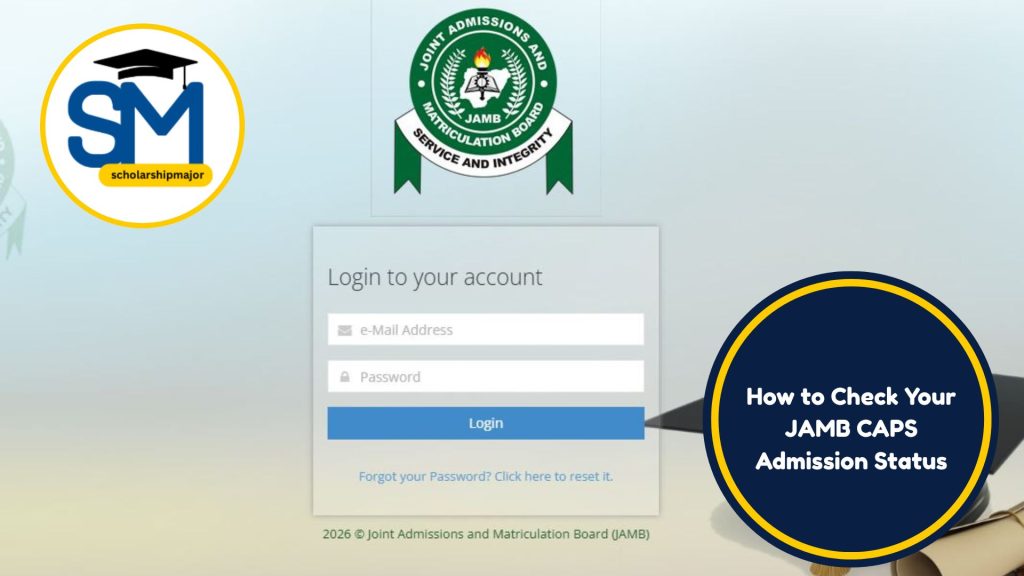
In 2026, accepting or rejecting admission on the JAMB CAPS Portal means officially telling the Joint Admissions and Matriculation Board (JAMB) whether you want to accept a university, polytechnic, or college offer. This process confirms your choice of institution and programme before your admission becomes valid. It is a central part of the Nigeria admission process, especially after UTME, Direct Entry, and Post‑UTME screenings. Let this guide on how to accept or reject admission on JAMB CAPS portal be your companion.
Why This Matters for Nigerian Students in 2026
Admission Impact
The JAMB CAPS (Central Admissions Processing System) is the official platform where all Nigerian tertiary admissions are processed. Once a school offers you admission, it appears on CAPS. You must accept it to move forward with school registration and matriculation.
If you fail to accept an offer on CAPS, the admission may remain pending or be forfeited. This can delay your academic start or force you to wait until the next admission cycle.

Policy Implications
Admission offers are guided by policy standards set by JAMB and the National Universities Commission (NUC). CAPS ensures that offers are legitimate, transparent, and conform to minimum requirements for programmes.
Accepting an offer on CAPS is considered an official acceptance in the 2026 academic cycle.
WAEC/NECO/JAMB Connection
Your O’Level results (WAEC or NECO) and your JAMB UTME score remain core determinants of admission eligibility. CAPS cross‑checks that the qualifications you provided match the offer.
For students with missing or unverified results, the system may hold the admission until clearance is completed.
Direct Entry Relevance
If you applied via Direct Entry (DE), you will also see your offer on CAPS. The process of accepting or rejecting is the same, but eligibility rules differ slightly and are based on higher qualifications (e.g., ND, HND, A‑Level).
Post UTME Consequences
After Post UTME screening, institutions send recommended candidates to CAPS. Whether you scored above the post‑UTME cut‑off or not, the admission must be accepted on the portal to be official.
Complete Breakdown of How to Accept or Reject Admission on JAMB CAPS Portal 2026
What Is JAMB CAPS Portal?
The JAMB CAPS Portal is an online system where candidate admission data is displayed. It shows:
-
Admission offers
-
Programme choices
-
School names
-
Admission status (e.g., offered, accepted, rejected, pending)
JAMB CAPS replaces manual acceptance forms and reduces fraudulent admissions.
Candidates can log in with their JAMB email or phone number and password at the official portal.
Eligibility for CAPS Action
You can accept or reject an admission offer only if:
-
Your name appears on the CAPS list.
-
You have a valid JAMB profile.
-
You applied through UTME or Direct Entry in the current year.
-
You have met the minimum UTME score and school cut‑off requirements.
If any of these conditions are unmet, CAPS will not allow action.
What You Need Before You Start
Before you access CAPS:
-
JAMB Registration Number
-
Valid Email or Phone linked to your JAMB account
-
O’Level Result (uploaded or awaiting clearance)
-
Internet Access
-
Secure Login Credentials
Ensure all personal data is correct and matches what your institution screened.
Official Portal Process
-
Visit the official JAMB portal (www.jamb.gov.ng).
-
Login with your email/phone and password.
-
Navigate to CAPS Dashboard.
-
Under your application, locate the admission status.
-
If an offer is available, you will see either Accept Admission or Reject Admission.
-
Click the relevant button.
-
Confirm your choice.
Once accepted, JAMB and the school are notified automatically.
When Can You Accept or Reject?
Admission offers may appear at different times:
-
After initial screening
-
After post‑UTME result release
-
After supplementary offers
The portal updates in real time, so check daily during admission windows.
What Happens After Acceptance?
When you accept:
-
Your admission status changes to “Admission Accepted”
-
The school is notified
-
You proceed to school clearance and registration
You may also print an Admission Letter from the portal once the school processes your admission.
What Happens After Rejection?
If you reject:
-
The offer is permanently declined
-
You may await another offer (if available)
-
You cannot reverse the decision once submitted on CAPS
Rejection is final for that admission offer.
Can You Switch Programmes After Accepting?
Programme changes are not done through CAPS. If you need a change of course or institution, you must follow the JAMB change of course/institution procedure before accepting any existing offers.
Comparison Table (Mandatory)
| Feature | Accept Admission | Reject Admission | No Action Taken |
|---|---|---|---|
| Outcome | Admission confirmed | Offer declined | Status remains pending |
| Notification to School | Yes | Yes | No |
| Eligibility Impact | Secures placement | Makes you open to future offers (if any) | May lose offer if deadline lapses |
| Risk if Ignored | Low (if accepted timely) | High (no placement yet) | Very high (offer may expire) |
| Processing Time | Instant | Instant | Delayed / possibly expired |
| Effect on Next Admission Cycle | None (this cycle complete) | Candidate may reapply | Candidate may need to reapply |
| Opportunity for New Offers | Possible but rare | Possible (if available) | Possible (if deadline allows) |
Numeric Example (Mandatory Realistic Scenario)
Step‑by‑Step Scenario
Candidate: Ada
JAMB Score: 190
School Cut‑off Mark: 180
O’Level Credits: English, Maths, Physics, Chemistry, Biology
UTME Subject Combination: Physics, Chemistry, Biology
-
Eligibility:
Ada scores 190, which is above her chosen university’s cut‑off of 180. -
Post‑UTME:
She attends screening and scores above the minimum internal threshold. -
CAPS Offer:
Her name appears on CAPS with “Admission Offered” status. -
Decision Point:
-
If Ada accepts, CAPS updates her status to “Admission Accepted”.
-
If she rejects, her offer goes back to the pool for possible reallocation.
-
Post Acceptance:
She prints her admission letter, proceeds to school clearance. -
If She Ignores:
CAPS may expire the offer after the deadline, leaving her without placement.
This shows how acceptance on CAPS guarantees that institutional and JAMB records align, leading to formal registration.
Step‑by‑Step Process for 2026
-
Visit JAMB Official Portal:
Go to www.jamb.gov.ng and click “Login”. -
Enter Credentials:
Use your valid email/phone and password. -
Navigate to CAPS:
Select the CAPS dashboard after login. -
Check Admission Status:
Your page will show your programme and current status. -
Identify Offer:
If offered admission, buttons for “Accept” or “Reject” will display. -
Confirm Your Choice:
Choose Accept or Reject. Once clicked, confirm the action. -
Final Status:
System updates your profile instantly. -
Print Admission Letter:
If accepted, proceed to print the letter from CAPS.
Common Mistakes Students Make (If Applicable)
1. Logging into a Fake Portal
Many students use unverified sites claiming to be JAMB CAPS. This leads to data loss and incorrect actions. Always use the official domain: jamb.gov.ng.
2. Ignoring Deadlines
Missing the admission window on CAPS can result in forfeited offers. Check the portal regularly during admission periods.
3. Accepting the Wrong Programme
Some applicants mistakenly accept a lower or unrelated course. Confirm that the course matches your application before clicking Accept.
4. Rejecting Without Backup Plan
Rejecting an offer without having a second choice or new offer may leave you without placement.
5. Not Verifying O’Level Uploads
If your WAEC/NECO is not verified or correctly uploaded, CAPS may delay the offer. Verify results early.
6. Using Weak Internet
Connection failure during acceptance can lead to duplicate actions or errors. Use a stable connection.
7. Forgetting Login Details
Locked accounts mean you can’t access CAPS. Recover passwords promptly if forgotten.
8. Not Checking Regularly
Offers may come late in the admission cycle. Some students assume no offer if they check only once.
2026 Timeline Students Must Know
| Activity | Expected Period (2026) |
|---|---|
| UTME Registration | February – March 2026 |
| UTME Exam | April – May 2026 |
| Result Release | June 2026 |
| Post‑UTME Screening | July – August 2026 |
| CAPS Admission Window Opens | August – September 2026 |
| First Batch Offers | September 2026 |
| Second/Supplementary Offers | October – November 2026 |
| Final Deadline for Acceptance | November – December 2026 |
| School Registration (Matric) | October 2026 – January 2027 |
Note: Exact dates depend on JAMB announcements and institutional calendars.
Preventive Checklist Before Taking Action
-
Verify your JAMB Registration Number
-
Ensure correct O’Level Uploads
-
Confirm the programme and institution
-
Check your UTME score vs. cut‑off
-
Confirm your Post‑UTME results
-
Use stable internet
-
Avoid unofficial portals
-
Back up your login details
-
Align your decision with career plans
Frequently Asked Questions
Can I correct my choice after accepting admission on CAPS?
Once you accept an offer on the JAMB CAPS Portal, the action is final for that specific offer. If you need a change of programme or institution, this must be done through the JAMB change of course/institution process before admission acceptance.
What happens if I miss the deadline to accept on CAPS?
Missing the acceptance deadline often means the offer expires. The institution may consider your space for another candidate. You may have to wait for supplementary offers or reapply in the next cycle.
Is the acceptance valid for all Nigerian universities and polytechnics?
Yes. Once an admission is accepted on the official JAMB CAPS Portal, it is recognized by all accredited Nigerian tertiary institutions including universities, polytechnics, and colleges of education.
Does rejecting an offer affect future opportunities?
Rejecting an offer does not block future offers. However, it permanently declines the current offer. You remain eligible for other offers if your profile meets requirements.
How long does the CAPS processing take after acceptance?
CAPS updates your status instantly once you confirm acceptance. The school will then process internal clearance which may take a few days to weeks depending on institutional procedures.
Final Advisory for 2026 Candidates
In 2026, the JAMB CAPS Portal remains the authoritative system for admission decisions in Nigeria. Every candidate must ensure they follow the correct steps when accepting or rejecting offers. Understand your academic goals, verify all data before action, and adhere strictly to official timelines. Using the correct process will help align your academic journey with national admission standards and avoid delays or lost opportunities. Statutory procedures and deadlines must guide every decision on the portal.
Recommended Reading: